iDeal Legal AI · Microsoft Word Add-in

AI Contract Review Software That Works Inside Word

Review contracts in minutes without leaving your familiar Microsoft Word environment. iDeal uncovers risks and inserts redlines directly via Track Changes using your custom playbook—no copy-pasting from chat windows or learning a new platform.

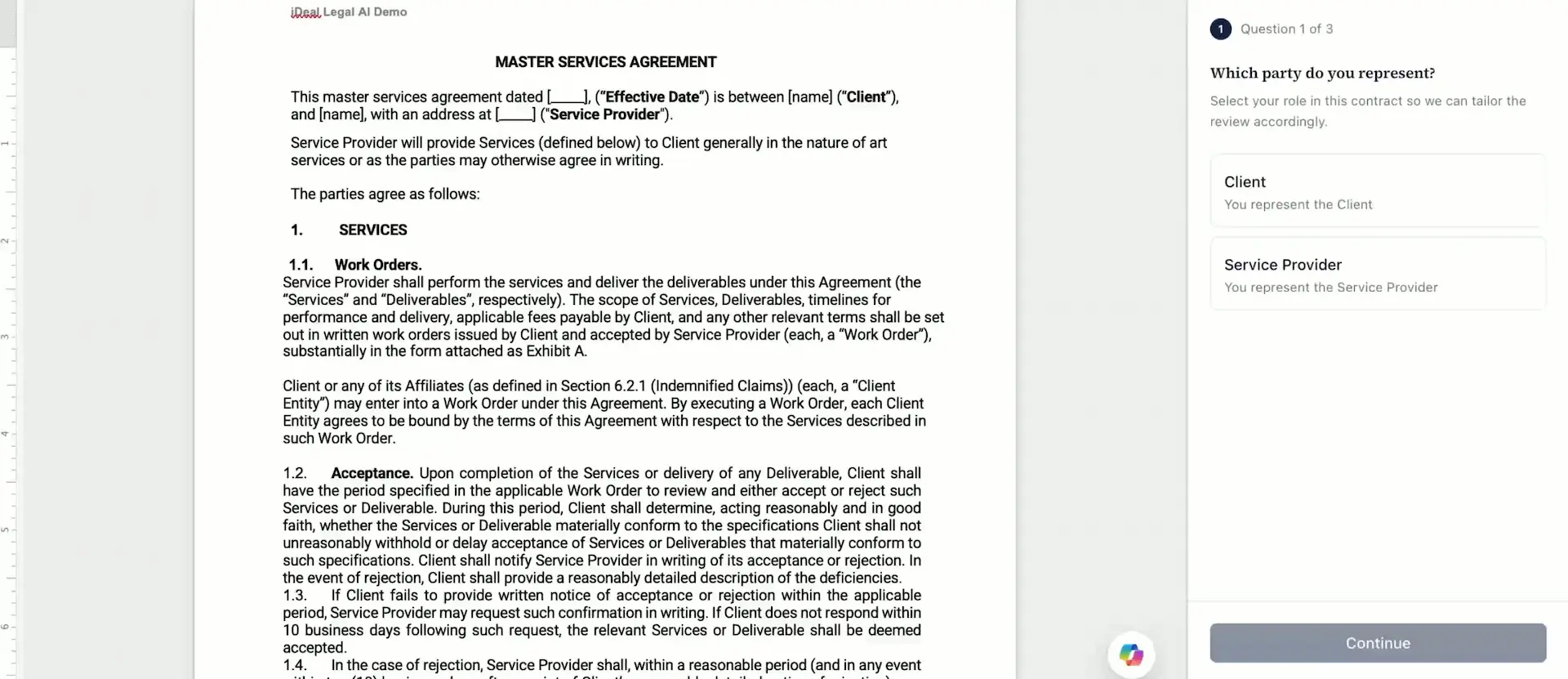
Product demo preview

Your contract. Your playbook. Redlines directly in Word.

What AI Contract Review Software Does

Stop spending your most valuable hours hunting for auto-renewals, liability caps, or conflicting clauses. Delegate repetitive contract proofing and free your team for strategic agreements and real business risks.

AI contract review is automated contract analysis: the software identifies risks, playbook deviations, and legal gaps, evaluates their severity, and suggests precise redlines.

It isn’t designed to replace lawyers or decision-making. It handles the initial, most tedious part of the work—line-by-line reading and proofing. Which edits to accept or escalate always stays with you, directly inside your working document.

Built for legal professionals

In-house counsel, boutique law firms, and small-to-medium business legal teams who review contracts regularly, without the department size or budget for heavy enterprise platforms.

AI for lawyers

Three Tiers, Just Like a Real Legal Team

A single review pass is just one set of eyes. iDeal mirrors a legal team’s workflow—from a quick initial pass to comprehensive commercial risk analysis.

01

Junior Associate

The first set of eyes

Performs rapid primary contract review. Catches mechanical errors, missing definitions, inconsistent terms, and text traps that shouldn’t waste a senior colleague’s time.

Illustrative finding

A hidden auto-renewal in section 14.3 silently extends the agreement for 24 months.

02

Legal Associate

Your standards, applied consistently

Reviews the contract against your custom playbooks. Compares wording with corporate standards, recommended fallback positions, and negotiation guidelines.

Illustrative finding

A liability cap is 12× higher than your playbook permits, breaching your risk policy.

03

Senior Counsel

The whole agreement, connected

Analyzes the contract as an interconnected system. Uncovers risks from the interaction of multiple clauses, their cumulative impact, and hidden commercial consequences.

Illustrative finding

Sections 4.2, 11.1, and Schedule C combine to create a unilateral termination right that none states explicitly.

One Document. Three Review Tiers. One Cohesive Result.

Three passes yield a consolidated set of edits—not a black box or a chat window that requires manual copying. Receive clean redlines inside your document, ready to accept or reject. The Legal Associate works within your playbook’s boundaries; the final word is yours.

  • Every edit can be reviewed.
  • Every comment can be modified.
  • Every redline can be rejected.
  • Playbooks set the rules.
  • Ultimate decision-making authority stays with you.

AI doesn’t replace the lawyer; it accelerates the lawyer’s workflow.

AI Contract Review Inside Word: Five Simple Steps

A new platform shouldn’t mean weeks of onboarding. iDeal works where you already redline agreements every day.

  1. 1

    Choose your party’s perspective

    Client, vendor, employer, buyer, or seller. Evaluate risks from your exact vantage point rather than generic recommendations.

  2. 2

    Select your review type

    Quick scan, playbook compliance check, or comprehensive analysis. Different agreements demand different depths of review.

  3. 3

    Set your analysis depth

    Standard analysis, Multi-AI analysis, or multi-model cross-verification. Go deeper to uncover risks and clause interdependencies.

  4. 4

    Receive structured risk analysis

    See risks ranked by severity, why each clause was flagged, how it aligns with your playbook, and conflicts across provisions.

  5. 5

    Work with ready-made edits

    Redlines as Track Changes, margin comments for the counterparty, and private notes for your team. Accept, reject, or manually edit every change.

Explore how it works

Works in desktop Microsoft Word (Windows / macOS) and Word Online.

See contract review inside Word

Choose your perspective, configure a review, and work with the results.

What to Look for in AI Contract Review Software

Five essential questions to ask—not just about features, but about how a tool fits into your daily legal workflow.

  1. 01Where does the work happen?

    Can your team work in its familiar environment, or must it upload documents to a separate platform? iDeal operates directly inside Microsoft Word.

    Compare with ChatGPT, Claude, and Gemini
  2. 02How is the review structured?

    A plain list of comments doesn’t help prioritize what matters. Look for explanations, severity rankings, and cross-clause dependencies.

  3. 03Can you use custom playbooks?

    Your review should follow corporate standards, not generic templates. Look for attorney-vetted playbooks, consistent application, and the flexibility to add your own rules.

    Explore contract playbooks
  4. 04How is data handled?

    Confidentiality comes first. Verify encryption, Zero Data Retention availability, and secure document isolation practices before choosing a vendor.

  5. 05Is the pricing model transparent?

    Check included credits, estimated reviews, and the cost per contract—not just the monthly subscription fee.

    See pricing and cost per contract

Need to compare solutions? Compare AI contract review tools.

Playbooks Keep Every Reviewer Aligned

When agreements are handled by people with different experience and priorities, review outcomes drift—creating hidden business risks. Establish clear guidelines once and get predictable execution across every document.

iDeal supports pre-built playbooks vetted by experienced corporate lawyers and custom company rules. Contracts are evaluated against uniform criteria, regardless of who starts the review.

Codify your position once—such as acceptable liability caps or auto-renewal windows—and apply it consistently. Junior speed, senior consistency.

Security and Data Handling

Your contracts remain strictly yours. Confidentiality is a baseline requirement, not an afterthought.

Confidentiality at every stage

Depending on your chosen plan and supported models, iDeal supports:

  • Zero Data Retention for supported AI models and workflows
  • Data encryption in transit and at rest
  • Isolated document processing
  • Role-based access controls aligned with enterprise security policies

Zero Data Retention availability depends on your subscription tier and supported AI models. Check the applicable terms before processing confidential documents.

Learn more about data protection

Created by a lawyer with 15+ years of experience in corporate and contract law.

Pricing in One Glance

From a handful of agreements to a whole team’s workload, choose a plan that fits your volume. Compare credits and estimated cost per contract.

Free

$0 / month

5 credits / month

Try the software in Word with monthly free credits.

Starter

$79 / month

40 credits

One AI model reviews each contract.

$1.98 estimated per standard contract

Professional

$149 / month

100 credits

Several AI models cross-check each other for deeper, more accurate review.

$1.49 estimated per standard contract

Small & Medium Biz

$299 / month

250 credits

Several AI models Teamwork with customized policies

$1.20 estimated per standard contract

Enterprise

Custom

Custom credit allocation

Dedicated scaling, custom onboarding, and advanced capabilities.

Frequently Asked Questions About AI Contract Review

Try AI Contract Review Software in Word for Free

Less routine proofing. More time for negotiations, commercial risk assessment, and strategic legal decisions. Install the add-in, sign in, and review your own active contract.