
How iDeal Legal AI works
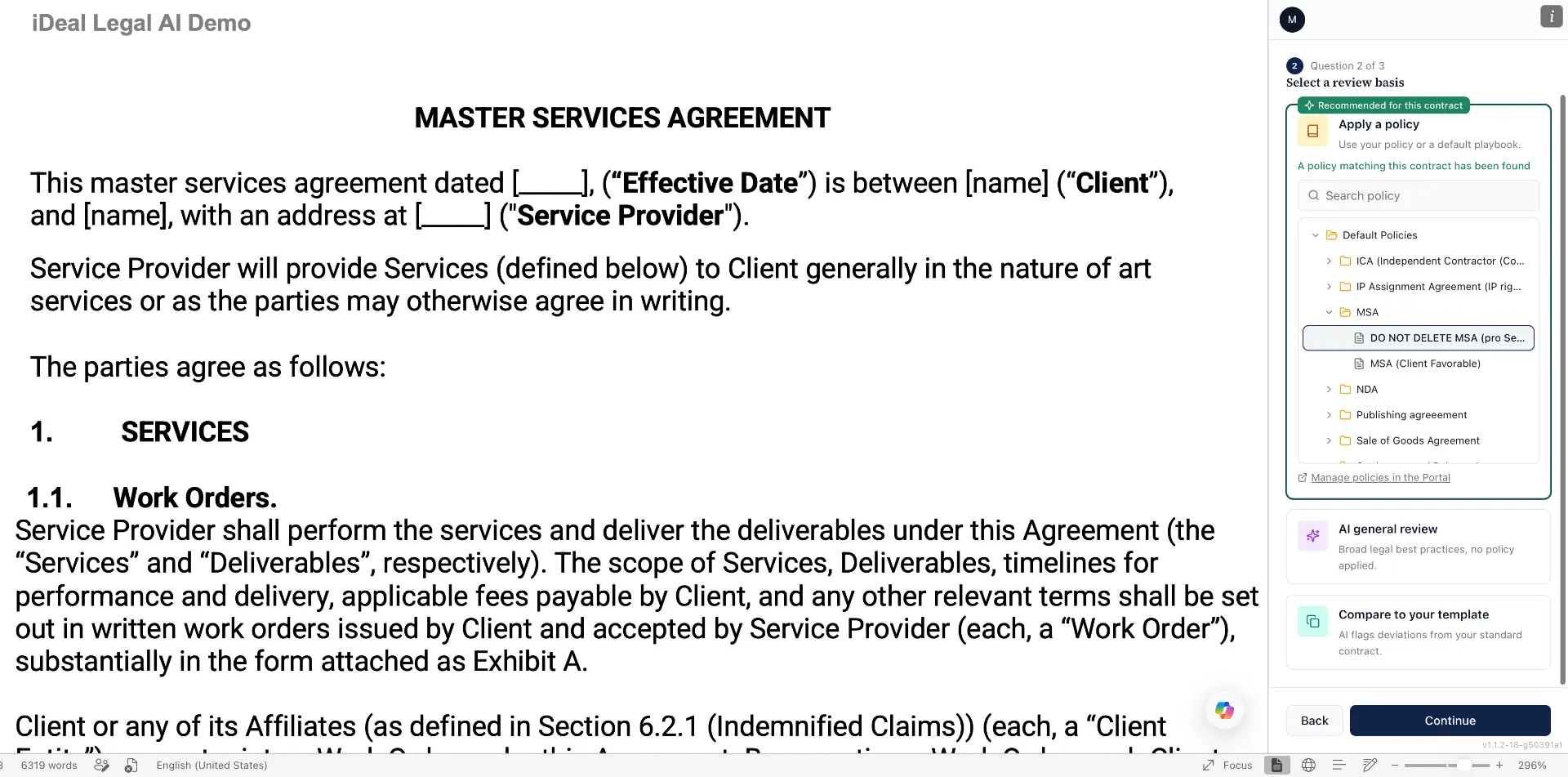
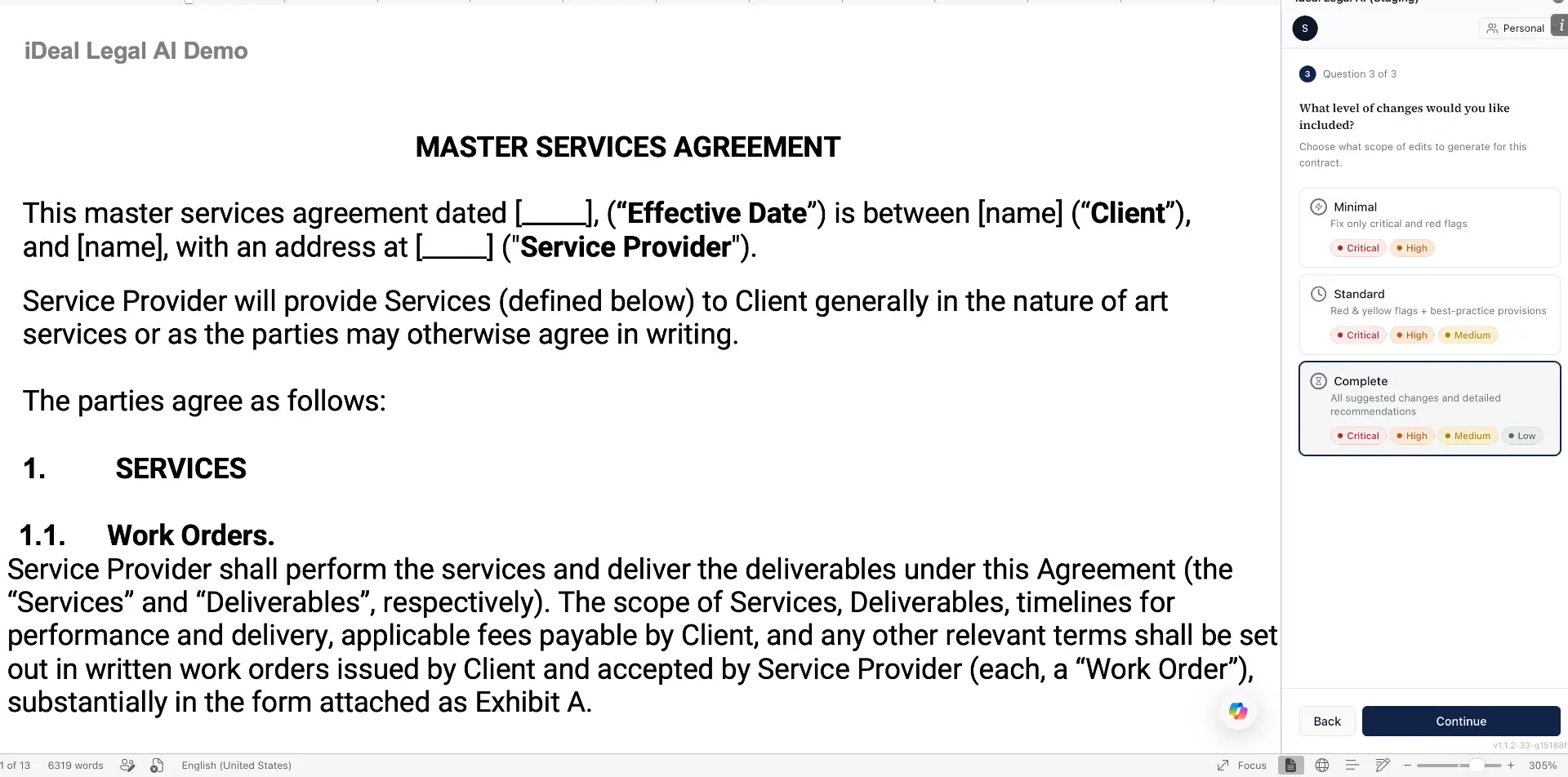
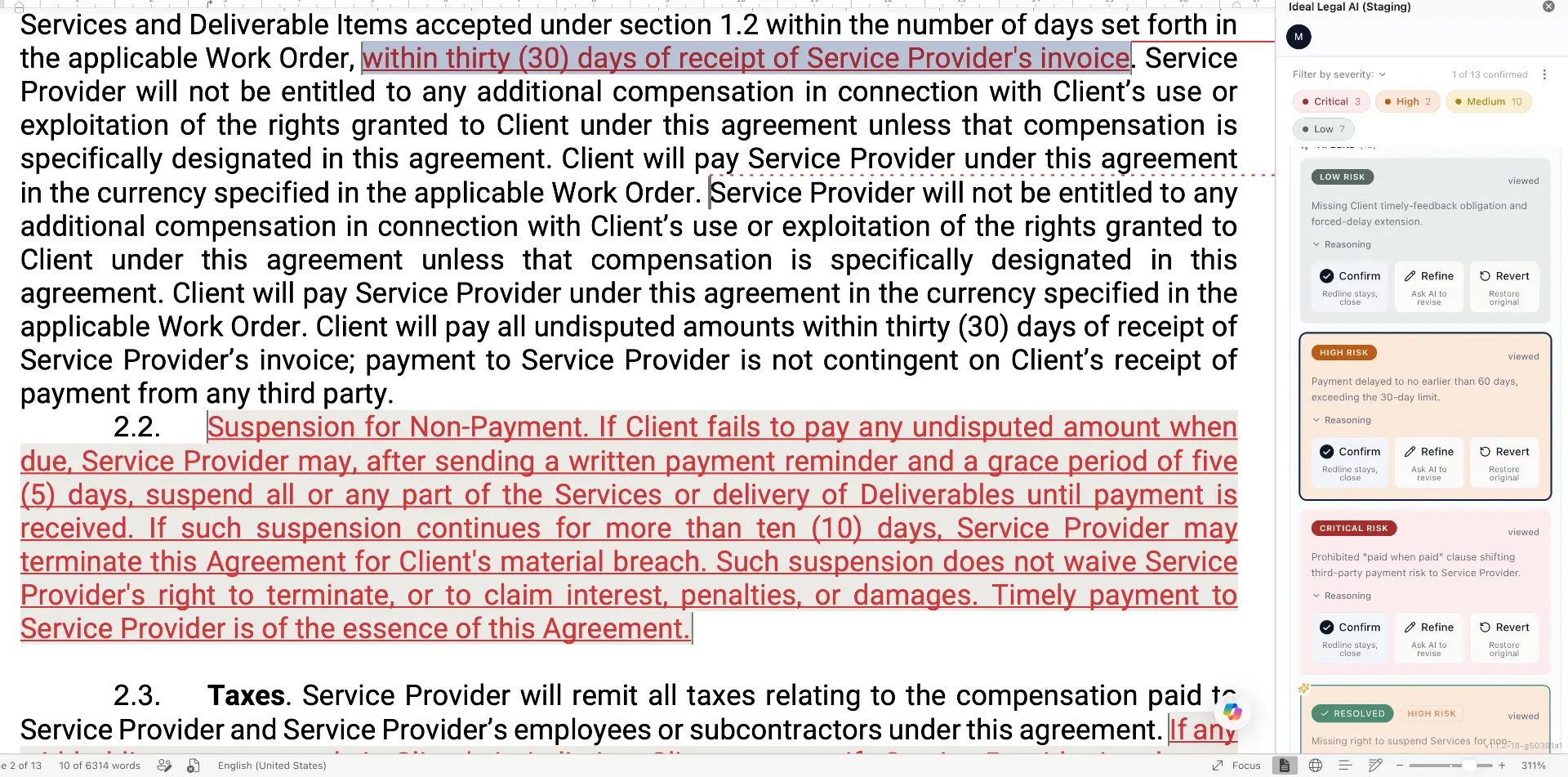
From upload to negotiation-ready redlines in five simple steps. Configure your review, let three specialized AI reviewers analyze your agreement, and receive Track Changes, comments, and internal negotiation notes, all ready to use inside Microsoft Word.
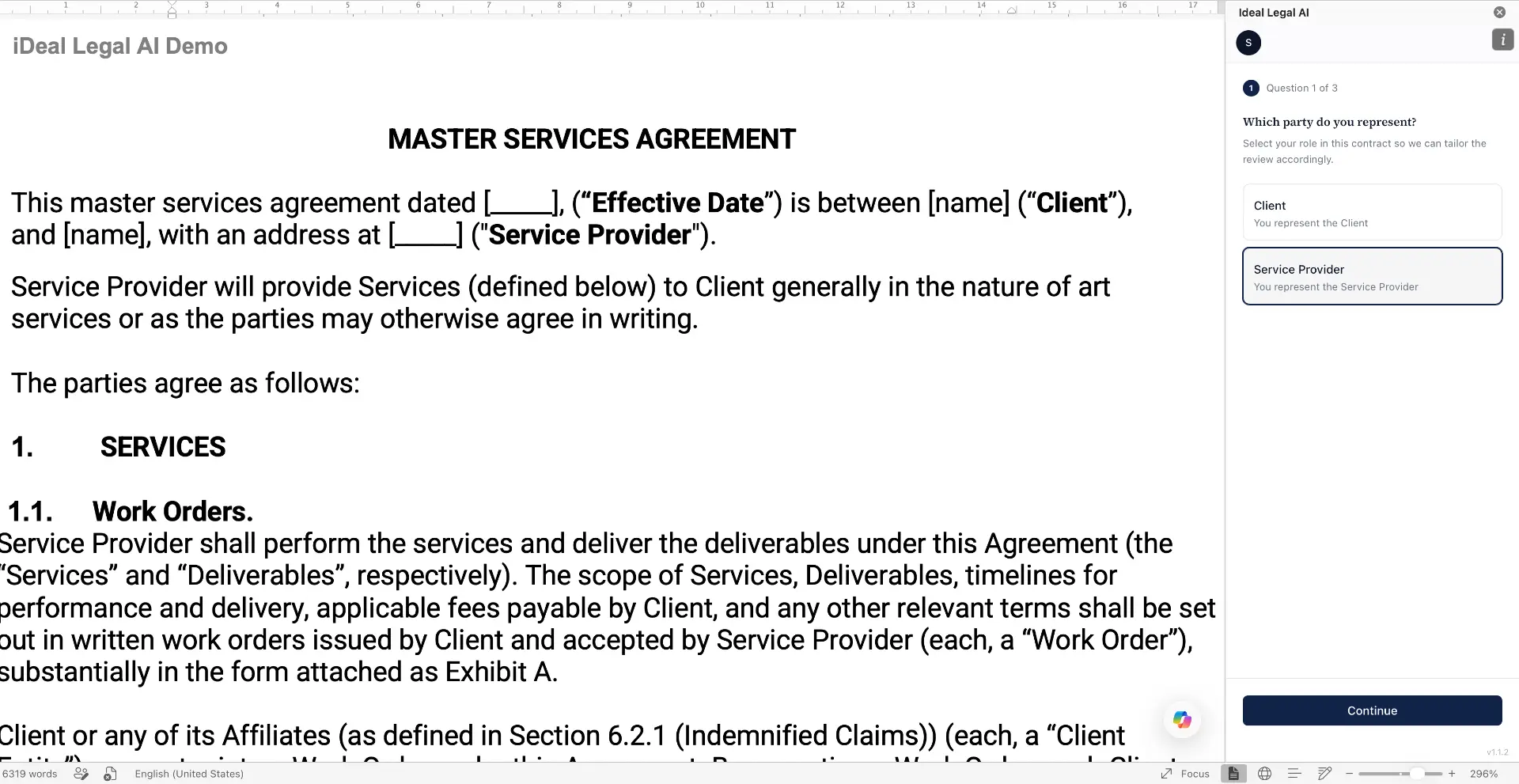
Choose whether you're reviewing on behalf of the client, vendor, employer, buyer, or seller.
Three review layers. One complete legal analysis.
Every AI agent contributes a different level of legal reasoning, from identifying drafting issues to uncovering risks that only appear when multiple clauses interact.

Found:
"Hidden auto-renewal in Section 14.3 — silently extends the agreement 24 months."
Found:
"Liability cap 12× above playbook — breaks your firm's risk policy."
Found:
"Sections 4.2, 11.1, and Schedule C combine into unilateral termination rights — invisible one clause at a time."
Need reviews tailored to your firm's standards? Enterprise customers can train AI reviewers using internal playbooks, preferred clauses, drafting style, negotiation positions, and risk tolerance.
What you receive after every review
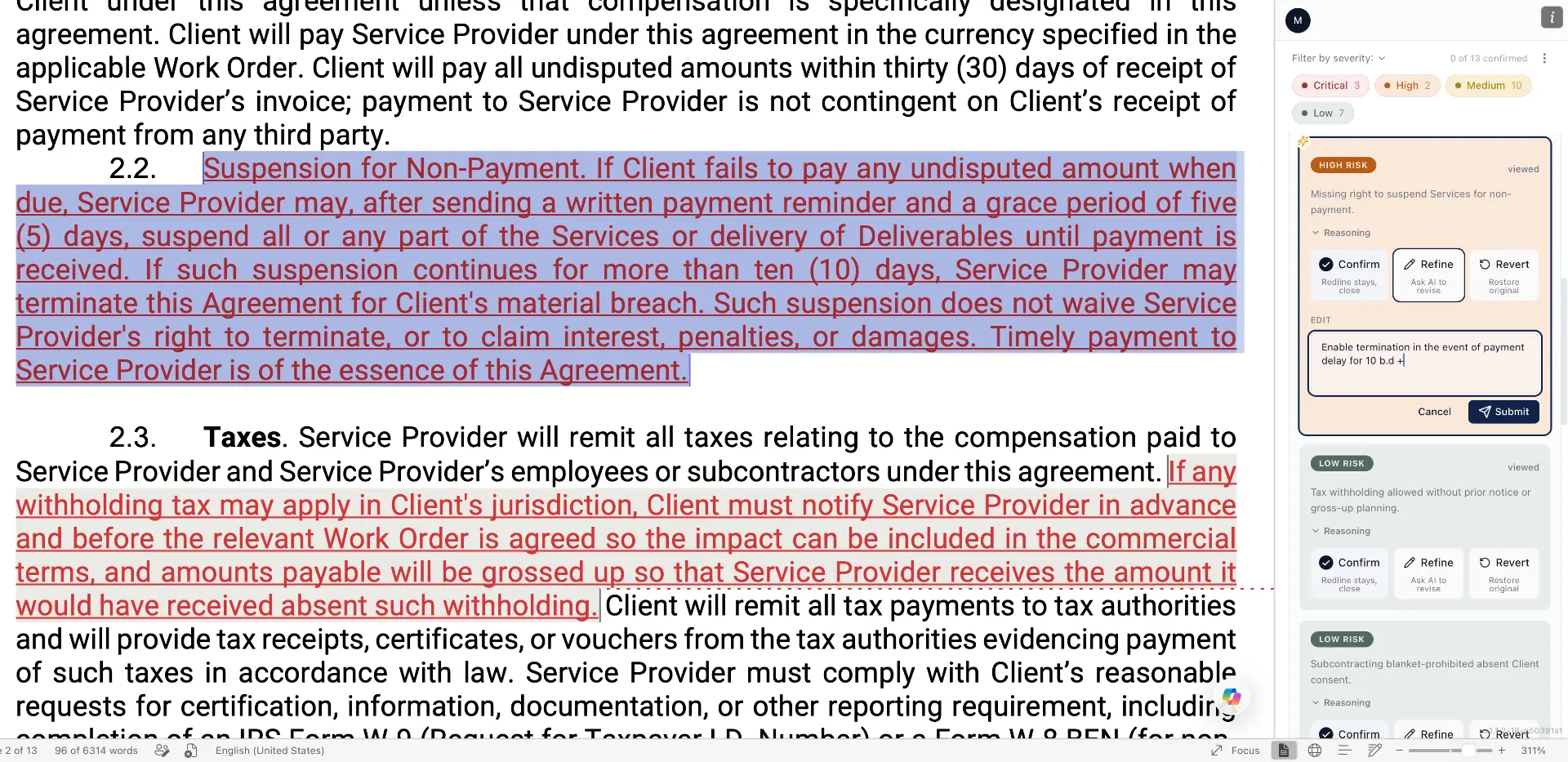
Everything is generated automatically and delivered directly inside Microsoft Word.
Prioritized legal risks
Every issue is ranked by legal impact, helping you focus on what matters before negotiations begin.
Negotiation package
Receive Track Changes for the agreement, comments for the counterparty, and private notes for your legal team.
Consistent legal standards
Every review follows the same policies and drafting rules, regardless of who performs it.
Ready inside Microsoft Word
No exporting or copy-pasting. Open the reviewed document with Track Changes and Comments already applied.
Ready to review your next contract?
Start with five free contract reviews every month. No credit card required.