
AI Contract Review in Word: What to Check First
Contents
Before you buy an AI contract review tool, know what it actually does inside your document — and which vendor answers should stop the conversation.
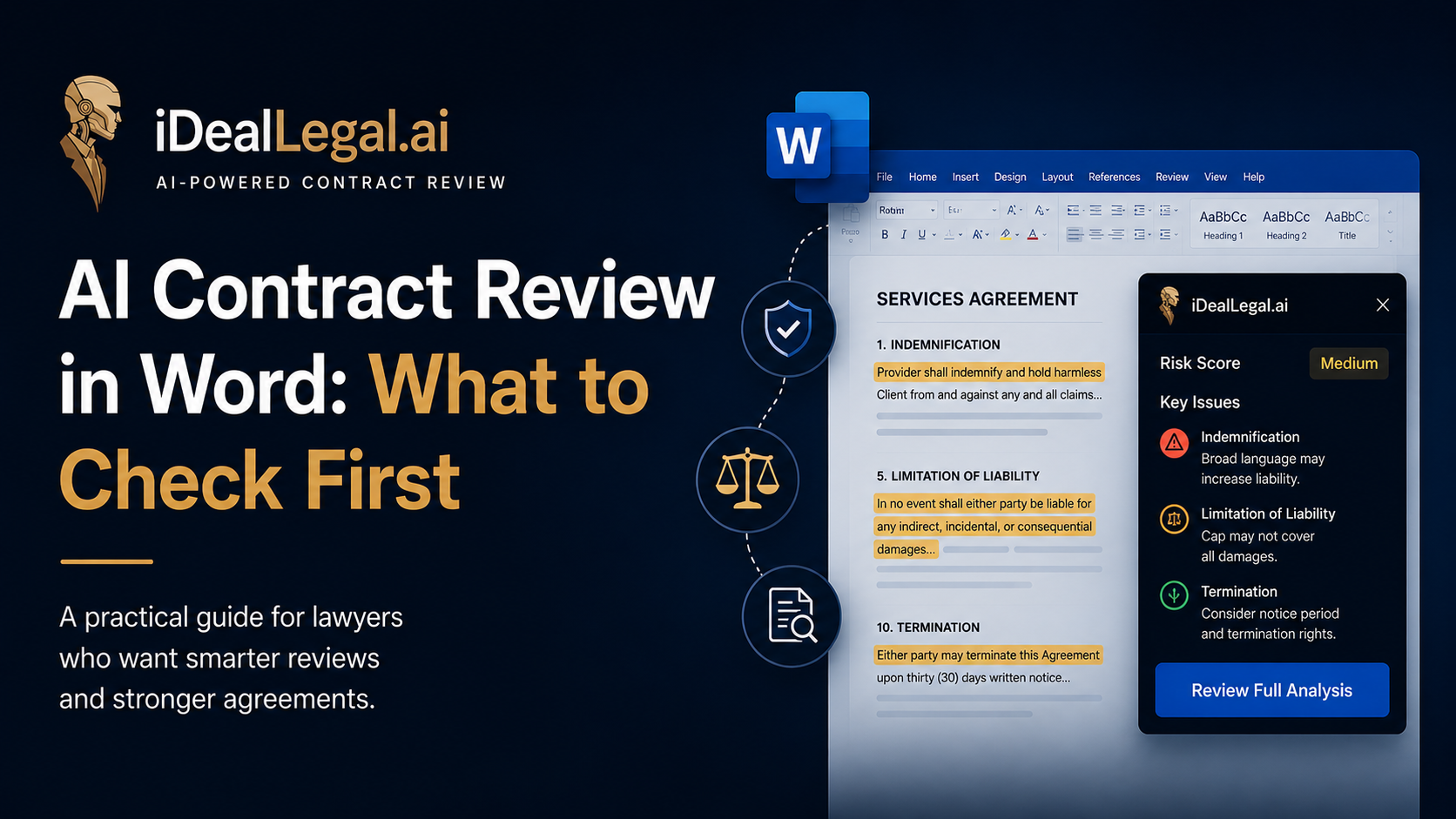
Every negotiation ends in the same place: a Word file with tracked changes, sent back to the other side. Drafting may start in a template library and storage may sit in a CLM, but the redline that decides who carries the liability is produced in Microsoft Word. That is why AI contract review has started moving into Word rather than asking lawyers to leave it. An AI contract review Word add-in opens in the task pane beside the document you already have on screen, reads the clauses in front of it, and writes its findings back as comments and tracked changes.
The category is crowded and the marketing sounds nearly identical from vendor to vendor. This guide covers what these tools actually do step by step, why review architecture changes the quality of what you get back, the six questions worth asking before you sign anything, and what the pricing should realistically look like.
Why Contract Review Is Moving Into Word, Not Out of It
The first generation of contract review software was built as a destination. You exported the agreement, uploaded it to a browser platform, waited for processing, read the analysis in a dashboard — and then went back to Word and typed the changes in yourself.
That final step is where the model breaks down, for three concrete reasons.
The counterparty expects a Word file back. Opposing counsel does not accept a PDF summary of your concerns. They accept a redline. Any review that ends outside the document still needs a lawyer to translate findings into markup, which is unbilled, error-prone transcription work.
Redlines already live in Track Changes. Track Changes is the negotiation's audit trail: who proposed what, in which round, and what was conceded. Analysis that arrives in a separate dashboard sits outside that record and gets lost between versions three and four.
Context switching is expensive. A review split across two applications means constant scrolling between a browser tab and a document to match a finding to the clause it refers to. On a 40-page agreement that reconciliation can take longer than the review itself.
An AI contract review Word add-in removes all three problems by never leaving the file. The analysis appears next to the clause it concerns, edits are inserted as tracked changes under a named reviewer, and the document you send back is the document you reviewed.
What an AI Contract Review Add-in Actually Does
An AI contract review add-in runs inside Microsoft Word, analyses the open document against a defined set of standards — your playbook — and returns risk-scored comments and suggested redlines directly in the file. In practice the workflow is five steps.
- Open the contract in Word. No export, no upload, no conversion. The add-in works on the document in front of you, including versions you have already partly marked up.
- Select a playbook. A playbook is your position on recurring clauses: the liability cap you accept, the governing law you insist on, the notice periods that are non-negotiable. Most tools ship with baseline playbooks by contract type — NDA, MSA, SaaS agreement, licence — and let you adjust the thresholds.
- Run the analysis. The tool reads the full agreement rather than isolated paragraphs. Good AI contract analysis identifies four things: clauses that deviate from your playbook, clauses that are missing entirely, internal inconsistencies such as broken cross-references or defined terms used before definition, and obligations that are unusual for the contract type.
- Review risk-scored findings. Findings arrive ranked, not as an undifferentiated list. High-risk items — uncapped indemnities, automatic renewal without notice, unilateral amendment rights — surface first, each with a short explanation of why the clause matters and what a market-standard alternative looks like.
- Accept, edit, or reject — then send. Suggested wording is inserted as tracked changes. The lawyer decides what stays. What leaves your outbox is a clean redline in the counterparty's expected format.
What the tool is not doing is deciding anything. An AI contract review tool narrows a 40-page document down to the eight or ten places that need judgement. Supplying that judgement is still the lawyer's job.
Single-Agent vs Multi-Agent Review: Why It Matters
Most first-generation contract review AI works as a single pass: one model reads the contract once and returns everything it finds. It is fast, and it is why so many tools produce similar-looking output.
A more useful comparison is to how a firm actually reviews a contract. A junior does the first pass and flags obvious deviations against the playbook. An associate reviews the flags in the context of the whole agreement. A senior lawyer checks the deal logic — whether the terms, taken together, still make commercial sense. Each layer is looking for something different.
Multi-agent review reproduces that structure. Specialised passes handle different domains — commercial terms, liability and indemnity, data protection, termination mechanics — and a further pass reconciles their findings against each other.
The difference shows up in cross-clause risk, which is where single-pass review is weakest. A liability cap at 12 months' fees reads as market standard in isolation. An indemnity clause that carves out IP claims from that cap also reads as normal in isolation. Read together, the cap is decorative. A single pass evaluating clauses one at a time will usually mark both as acceptable. A layered review that reconciles findings catches the interaction. The same pattern applies to termination notice periods that expire after an auto-renewal date, and to confidentiality terms that lapse before the retention obligations they are meant to protect.
When comparing the best AI contract review tools, ask how many verification layers sit between the model's first read and the output you see.
What to Check Before You Choose One
Vendor demos are built to look impressive on a clean NDA. These six questions surface the things a demo will not show you. Ask them in writing, and treat the red flag column as a reason to stop the conversation rather than negotiate harder.
Free AI contract review options are worth using here: a free AI contract review tool is the cheapest way to test output quality before committing budget. Check what the free tier caps (usually pages or contracts per month) and confirm the data policy applies to free users identically. Run the trial on a contract you have already negotiated — you know where the problems were, so you can measure what the tool found, what it missed, and what it flagged that did not matter.
What These Tools Typically Cost
Compare against the alternative rather than against other subscriptions. A first-pass review of a 20-page SaaS agreement realistically takes two to four hours. At outside counsel rates that is well into four figures per contract. For an in-house lawyer on a fully loaded cost basis it is still a few hundred dollars of internal time — and unlike outside counsel, that time is capacity taken away from something else.
Against that, contract review tool pricing generally falls into three shapes. Per-seat subscriptions run from roughly $50 to several hundred dollars per user per month, with enterprise platforms at the top of that range. Per-contract pricing charges by document reviewed, which suits teams with uneven volume. Free tiers cover a small monthly allowance and exist mainly for evaluation.
The arithmetic is usually straightforward: if a tool removes an hour from each of ten contracts a month, it pays for itself well below the typical subscription price. The harder question is whether your volume justifies per-seat pricing at all — for teams reviewing a handful of agreements a month, per-contract pricing is almost always cheaper.
FAQ
Is AI contract review safe and confidential? It depends entirely on the vendor's data policy, not on the technology. The controls that matter are enterprise-grade encryption in transit and at rest, a stated document retention period with zero-retention available, a contractual commitment not to train on customer documents, and a SOC 2 Type II report you can actually read. Where client confidentiality or privilege is involved, verify all four in writing before uploading a live contract.
Does AI contract review replace a lawyer? No. It replaces the mechanical first pass — locating clauses, comparing them against a playbook, spotting what is missing. It does not weigh commercial risk against relationship value, decide which points are worth conceding, or take professional responsibility for the advice. What changes is where the lawyer's hours go: less time finding issues, more time deciding what to do about them.
Can an AI Word add-in review PDF contracts too? Most Word add-ins need the document in Word format, since tracked changes and comments require an editable file. Many tools convert PDFs on import, though conversion quality varies with the original — text-based PDFs convert cleanly, scanned documents need OCR and often lose structure. If you regularly receive PDF-only contracts, test conversion on a real scanned document during your trial rather than a clean export.
Try iDeal Legal AI Free in Word
iDeal Legal AI runs inside Microsoft Word as an add-in: open the contract, select a playbook, and get risk-scored comments and tracked changes back in the same document you send to the counterparty. Multi-agent review layers commercial, liability, and compliance checks and reconciles them against each other, so cross-clause risk gets caught before the redline goes out. Pricing is published, playbooks are editable without a support ticket, and your documents are never used for training.
Start free in Word and run it against a contract you have already negotiated — the fastest way to see what an AI review layer would have caught.