
Version Chaos
Five conflicting copies of the same document floating across email threads, with no single source of truth.
iDeal Legal AI · Microsoft Word Add-in
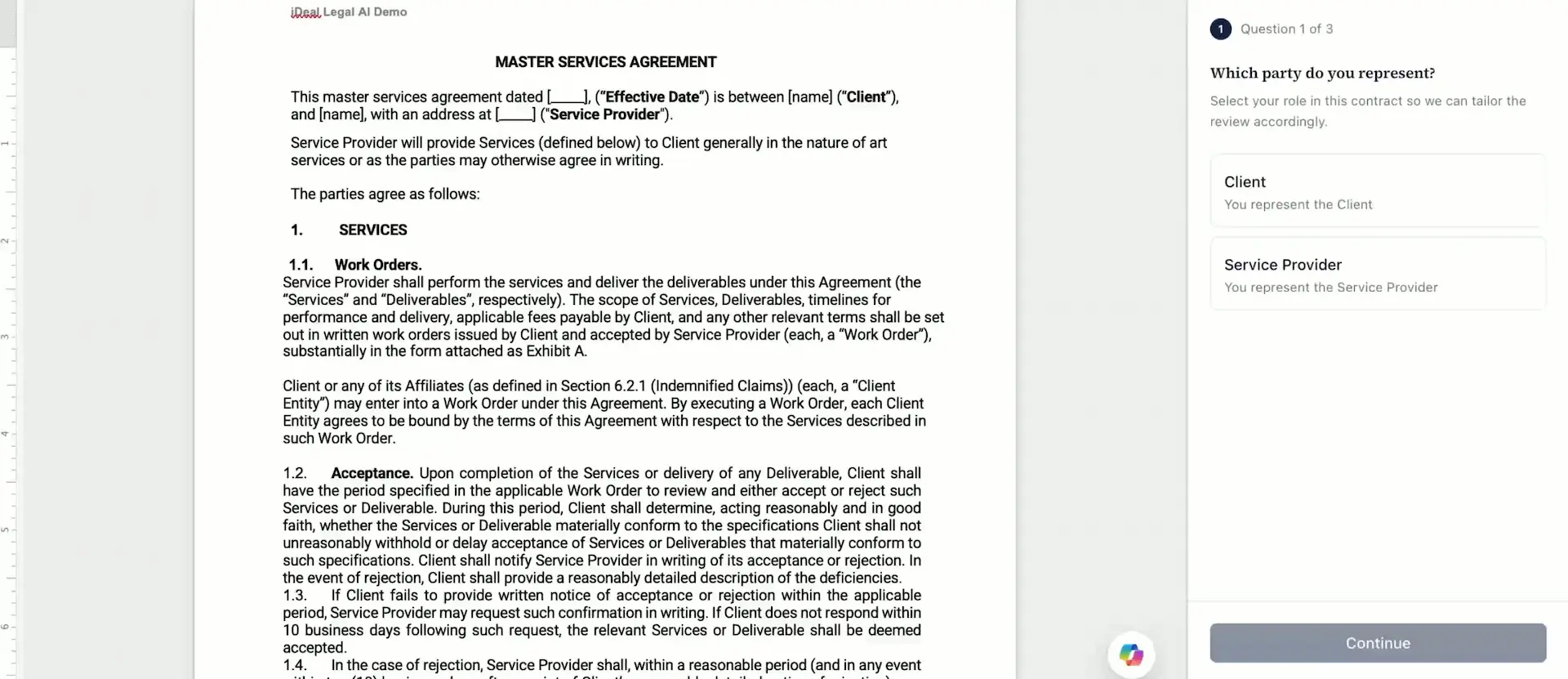
Review, revise, and negotiate contract terms in minutes without ever leaving your familiar Microsoft Word interface. With iDeal, proposed redlines arrive directly as native Track Changes that you can accept, reject, or edit in a single click—eliminating version chaos, copy-pasting from chat windows, and clunky third-party platforms.
Redlines arrive as native Track Changes, with comments in the margin.
Stop dealing with endless email threads, file version confusion (Contract_v2_FINAL_final.docx), and the constant risk of missing a critical edit during negotiations. Manual contract review and editing is an exhausting routine that drains legal teams.
Contract redlining software is specialized technology designed to streamline marking up and tracking changes in legal documents. It helps teams analyze text, identify playbook deviations, and draft clear alternative language for contract provisions.
These four capabilities serve as the foundation for AI contract redlining in iDeal.
Five conflicting copies of the same document floating across email threads, with no single source of truth.
A subtle change hidden in section 9 that nobody caught between the first and final negotiation rounds.
Reviewers propose different wording for the same clause, so one company sends three positions.
Traditional contract redlining forces lawyers to manually hunt for standard fallback language and proofread dozens of pages for hidden liabilities. Modern contract redline software automates this mechanical work, delivering ready-to-use edits directly inside your active document.
Read more about the differences in markup types in our upcoming post on Redline vs Blackline.
A basic document comparison utility shows you what changed; AI contract redlining answers a different question: what should change. Every pass follows four structured steps.
The software compares every clause against your approved risk policies and negotiation guidelines.
For every flagged issue, iDeal suggests specific alternative wording tailored to your position.
You start with the most critical threats, not just page one. All findings are sorted by severity level.
Accept or reject identical, repetitive edits across the entire document with one click.
Unlike closed platforms where outputs stay trapped inside a third-party dashboard, iDeal separates results into three distinct, functional layers.
Track Changes · for the counterparty
Ready-to-use legal edits applied directly to the document text. The counterparty receives standard revisions—and they do not need iDeal to review or accept them; standard Microsoft Word is all they need.
Margin explanations
Clear, professional margin explanations detailing why a specific change was requested (e.g., citing corporate risk policy constraints).
For you and your colleagues
Internal insights, guidance, and negotiation boundaries visible exclusively to your team (e.g., fallback options you can concede vs. non-negotiable positions).
To choose the best redlining software, understand how different legal tech categories handle document markup.
| Solution Category | Where Work Happens | What Edits Look Like | Playbook Enforcement |
|---|---|---|---|
| Manual Redlining | Microsoft Word | Standard lawyer Track Changes | Relies on reviewer memory |
| Document Comparison (Blackline tools) | Separate utility / standalone app | Static markup report showing file differences | None |
| Enterprise CLM Platforms | External vendor cloud repository | Requires exporting and re-importing files | Limited |
| iDeal (Native AI Redlining) | Directly inside Microsoft Word | Ready Track Changes + margin comments | Full (Custom + Pre-built) |
We describe these categories objectively rather than making unverified competitor claims. For a broader market breakdown, explore our guide to AI contract review tools.
Define acceptable, fallback, and non-negotiable positions before opening the document.
Use one central copy with Track Changes enabled rather than circulating five email attachments.
Adding brief explanations in margin comments significantly reduces unnecessary negotiation rounds.
Ensure team discussions remain private before sending documents externally.
Use collaborative redlining software for legal teams where AI proposes edits, but the lawyer retains final approval authority.
Purpose-built legal contract redlining automates version comparisons, conflict identification, and repetitive drafting so teams can focus on strategic negotiation.
Accelerate high-volume contract reviews while ensuring consistent adherence to corporate risk standards.
Leverage AI redlining software to scale document processing capacity without expanding headcount or buying enterprise CLM suites.
Apply approved fallback language quickly without waiting for senior legal sign-off on routine terms.
For team workflows, iDeal delivers collaborative redlining software for legal teams: shared playbooks, role-based access controls, and administrative features on our Small & Medium Biz plans.
Your contracts remain strictly yours. Confidentiality is a baseline requirement, not an afterthought.
Depending on your chosen plan and supported models, iDeal supports:
Zero Data Retention availability depends on your subscription tier and supported AI models. Check the applicable terms before processing confidential documents.
Learn more about data protectionCreated by a lawyer with 15+ years of experience in corporate and contract law.
Don’t waste weeks setting up heavy enterprise platforms. Install the add-in from Microsoft AppSource, connect your playbooks, and redline an active contract today.